
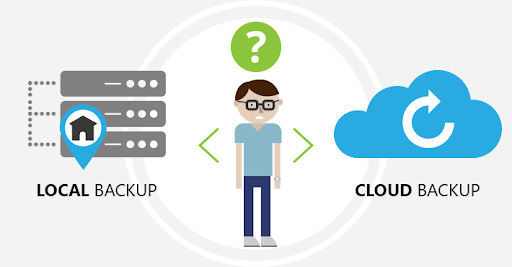
When disaster strikes, whether it’s ransomware, a hardware failure, or a regional power outage, your business’s ability to recover data quickly means the difference between temporary downtime and long-term damage. A robust disaster recovery plan is no longer optional; it’s a necessity. For many organizations, the key question becomes: Should you rely on on-premises backups, cloud backups, or both?
Below is an in-depth comparison of real-world trade-offs, and suggestions for implementing a strategy that balances speed, cost, and risk.
Table of Contents
ToggleKey Concepts to Understand First
Before we dig into pros and cons, there are a couple of metrics and concepts every disaster recovery (DR) plan should hinge on:
- Recovery Time Objective (RTO): How long can your systems, operations, or services be down before the impact becomes unacceptable? Cohesity+2Exinent+2
- Recovery Point Objective (RPO): How much data (measured in time) are you willing to lose in a disaster? If your last backup was 2 hours ago, is it acceptable to have to re-create 2 hours of data, or do you need something closer to real-time replication? objectfirst.com+3Cohesity+3Exinent+3
These metrics guide your decisions on backup frequency, infrastructure investment, and how “aggressive” you need to be in minimizing both downtime and data loss.
Also important are regulatory / compliance requirements in your industry (e.g. HIPAA, PCI DSS, financial regulations) which sometimes mandate certain RTOs or RPOs or impose constraints on where data can reside or how it must be protected.
On-Premises Backup (aka Local Backup)
What It Means
A backup setup where your data is stored, managed, and controlled within your physical location(s) — e.g., data centers, server rooms, network attached storage (NAS), tape libraries, etc. The organization owns or leases the hardware, maintains it, ensures the physical environment (power, cooling, security), and handles the backup software and schedules.
Pros
- Fast Recovery / Low Latency: Because the backup media is local (LAN or direct storage), restores are faster — useful if you have large datasets or need to get back up quickly.
- Total Control: You control the entire stack (hardware, software, physical access, encryption, scheduling). You can tailor everything to your internal policies, compliance, and performance needs.
- No (or minimal) Dependency on Internet: Restores or backups don’t depend on external connectivity. This is especially useful in regions with unreliable internet or for mission-critical applications.
- Predictable Costs for Some Components: Upfront investment is high, but once the hardware is in place, you may avoid recurring fees (though maintenance and upgrades still cost).
- Custom Security / Compliance Handling: If your business handles especially sensitive data, or is under strict regulatory scrutiny, you might prefer keeping everything in-house to reduce exposure to third-party risk.
Cons
- Vulnerability to Local Disasters: Fire, flood, theft, power outages, hardware failure — anything affecting your facility could also damage backups. Unless you also maintain off-site copies, risk is concentrated.
- Initial Capital Expense: Buying hardware, setting up infrastructure (power, cooling, backup media), and acquiring software licenses can be expensive.
- Ongoing Maintenance: Hardware fails, firmware/software need updates, capacity must be monitored, backups must be tested. You need skilled staff.
- Scalability Challenges: As your data grows, you’ll need to buy more disks, more hardware, more space. These expansions can lag behind growth spurts.
- Potential for Single Points of Failure: If your local backup system isn’t redundant, that backup might itself fail at a critical time.
Cloud Backup
What It Means
Your data is backed up to remote servers managed by third-party providers (public cloud providers like AWS, Azure, Google; or private/cloud-backup specialty providers). Backups are transferred over the internet; data is stored in (usually multiple) data centers.
Pros
- Off-Site Redundancy & Geo-Distribution: Backups in geographically diverse data centers protect against local catastrophes. Even if your physical location is destroyed, remote copies are intact. Hystax+2outsourceitcorp.com+2
- Scalability & Elasticity: Storage can grow (often nearly) on-demand. You can scale up or down depending on need without major hardware purchases. Hystax+1
- Lower Upfront Capital Costs: Instead of buying hardware and infrastructure, you pay ongoing subscription or usage costs. This can be easier for smaller or mid-sized businesses. Hystax+1
- Accessibility & Remote Work Ready: Team members, recovery teams, etc., can access backups from anywhere (if permitted) which is valuable in various disaster scenarios.
- Advanced Features: Many cloud backup solutions offer built-in encryption, versioning, automated backups, incremental/differential backups, and sometimes even real-time replication.
Cons
- Internet Dependency / Bandwidth Constraints: If your internet is slow, unstable, or has data caps, backups and especially restores may be slow or unreliable. For large volumes of data, uploading initial backups (“seeding”) can take a long time.
- Ongoing Operational Costs: Subscription fees, storage fees, data transfer costs, possibly egress fees (for restoring data) can add up, especially for large or frequent use.
- Complexity of Compliance / Security: You must ensure cloud provider meets regulatory requirements; you need encryption in transit and at rest; access controls; auditing. Misconfiguration can expose you to risk.
- Vendor Lock-in & Data Transfer Costs: Moving from one cloud to another (or back on-premises) may incur costs, both monetary (data egress, new infrastructure) and in time.
Restore Speed May Be Slower: Even though data is off-site and redundant, pulling down large amounts of data from the cloud may take longer than from a local storage device.
The Hybrid Approach: Best of Both Worlds
Combining both on-premises and cloud backups often gives you the best trade-off: local backups for speed + cloud/remote backups for resilience.
Key features of a strong hybrid DR strategy:
- Local backups for fast restores of more common, critical failures (hardware failure, local corruption).
- Off-site/cloud replication of data for protection during site-wide disasters.
- Regular automated test restores to validate that both local and cloud backups are usable. (At MOATiT you already do this, which is excellent.)
- Tiered storage/backup schedules: critical data gets more frequent backups, less critical data less frequently.
- Use of immutable backups or write-once storage for ransomware protection.
Metrics & Trade-Offs
Here are some of the common trade-offs and how the metrics RTO/RPO help you choose among them.
|
Decision Factor |
What It Impacts |
What to Ask Yourself |
|
How much downtime can you tolerate? (RTO) |
Determines how fast you must restore systems. Drives investments in faster restores, possibly redundant infrastructure, hot backups, etc. |
If your e-commerce site is down for 4 hours, what is the revenue loss? At what point does customer trust erode? |
|
How much data loss is acceptable? (RPO) |
Dictates backup frequency, whether real-time replication may be needed. |
Can losing one hour of data be rebuilt manually? If we lose one day, how much is that going to cost? |
|
Cost vs Risk |
A more robust system usually costs more (hardware, staffing, cloud service fees) |
How much are you willing to spend versus how big are the risks and consequences of failure? |
|
Regulatory / Legal Requirements |
Compliance may require certain retention times, encryption at rest, data to remain in certain jurisdictions, etc. |
Which laws/regulations apply to your industry? Does cloud provider support those? |
|
Type of Data / Workload |
Some data is more critical (customer data, financial data) and requires higher RTO/RPO; less critical data (e.g. archived logs) may tolerate slower recovery. |
Which systems are mission-critical? Which can wait? |
|
Connectivity / Infrastructure Reliability |
If your internet is unreliable or expensive, cloud backup costs or speed may suffer. |
Do you have redundant internet? What’s your bandwidth? How costly is large data egress? |
Real-World Examples
- A retail business with both physical and online stores might require RTOs of minutes or at most an hour for point-of-sale systems, but might tolerate longer downtime for internal reporting systems. They might keep immediate backups on-site plus replicate to the cloud.
- A law firm might have strict privacy and compliance constraints for client data. On-premises backup may satisfy security/control, but cloud replication might help for disaster resilience. The firm would need to ensure the cloud provider has the right certifications.
- A small startup with limited budget might lean more heavily on cloud for its lower upfront cost, but might suffer under slow restores. If fast recovery becomes more critical, they may evolve into a hybrid model.
Implementation Checklist
- Inventory all data, systems, and classify criticality.
- Determine RTO & RPO for each system.
- Audit current backup practices.
- Decide which systems stay on-premises, which go to cloud, and how often.
- Choose backup retention rules.
- Set policies for data encryption, access control.
- Plan for DR drills and test restores.
Final Thoughts
Choosing between cloud and on-premises backups doesn’t have to be a binary decision. With the right metrics, planning, and hybrid solutions, you can align speed, cost, resilience, and compliance.
At MOATiT, our fully managed backup and recovery services help Idaho businesses (and beyond) build DR strategies tailored to their specific risk tolerance, data criticality, budget, and compliance requirements. Whether you’re looking to shift more into the cloud, refine your on-premises infrastructure, or implement a hybrid setup with strong automation and testing, we can help.
This Article has been Republished with Permission from The Technology Press.
–Updated October 2025–


