
Your smartphone knows everything about you. It holds your bank accounts, private messages, location history, work emails, and family photos. All in one small device that fits in your pocket. That convenience is exactly what makes it such an attractive target for hackers, stalkers, and cybercriminals.
The threats are real and growing. Mobile malware is on a consistent upward trend, and research shows that a significant number of Americans have already been victims of mobile cybercrime. If you want a broader look at just how wide the threat landscape has become, our blog Is Your Data Safe? The Terrifying Truth About Cyber Threats in the 21st Century is worth a read before diving in. Yet most people still rely on default settings and hope for the best.
At MOATiT, we believe mobile security should be simple, practical, and accessible to everyone, from tech-savvy professionals to people navigating dangerous personal situations. This guide brings together expert guidance from cybersecurity leaders, federal agencies, and digital safety advocates to give you a complete, actionable plan.
Table of Contents
ToggleHow Attackers Get Into Your Phone
Understanding the threat landscape is the first step toward defending yourself. Cybercriminals use several common methods to compromise smartphones:
- Phishing & Smishing: Fraudulent emails or text messages trick you into clicking malicious links or downloading infected files. A message that looks like it’s from your bank could hand over your login credentials to a stranger.
- Malicious Apps: Fake or compromised apps — often found outside official app stores — run silently in the background, harvesting passwords, contacts, and financial data.
- Unsecured Public Wi-Fi: Connecting to a café or airport network without a VPN allows anyone on the same network to intercept your data — emails, banking activity, and more.
- SIM-Swapping: Attackers convince your mobile carrier to transfer your phone number to a SIM card they control, letting them bypass two-factor authentication on your accounts.
- Stalkerware & Spyware: Installed silently — often by someone with physical access to your phone — these apps monitor your calls, location, and messages without your knowledge.
- Physical Access Exploits: One of the most overlooked threats: someone who simply picks up your unlocked phone can access everything in seconds.
Warning Signs Your Phone May Be Compromised
Look out for these red flags that could indicate unauthorized access to your device:
- Sudden battery drain or unusual data usage spikes
- Apps you don’t recognize appearing on your device
- Your phone overheating during light or no use
- Unusual account activity — friends receiving strange messages from you
- Security settings being turned off without your input
- Unexplained slowdowns, crashes, or random reboots
- The person monitoring you seems to know your location, conversations, or activities in detail
Your Complete Mobile Security Action Plan
The following steps are drawn from guidance by the FCC, cybersecurity experts at Tripwire, McAfee, and digital safety advocates. Together, they form a layered defense that significantly reduces your risk.
1. Lock Your Phone — and Make It Strong
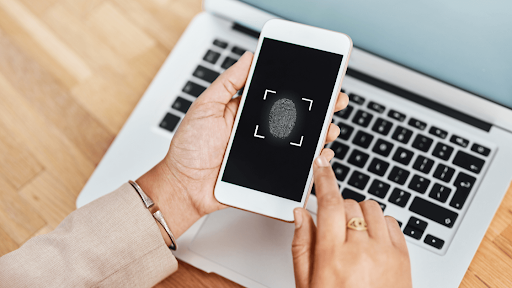
A passcode, PIN, fingerprint, or facial recognition lock is your first line of defense. Without it, a lost or stolen phone is a wide-open door. Use a complex passcode rather than a simple four-digit PIN — the difference in security is exponential. Enable your lock screen to activate automatically after a short period of inactivity, and never share your passcode with anyone.
2. Keep Your Software Updated
Operating system and app updates are not just new features — they contain critical security patches that fix known vulnerabilities. Enable automatic updates so you’re never running outdated software. This applies to your OS (iOS, Android) and every app on your phone. Delaying updates leaves the door open for known exploits.
3. Use a VPN on Public Networks
Never connect to public Wi-Fi at airports, hotels, or cafés without a Virtual Private Network (VPN). A VPN encrypts your internet traffic, making it unreadable to anyone snooping on the same network. This protects your passwords, emails, and financial transactions from man-in-the-middle attacks. VPN services are relatively inexpensive
4. Back Up Your Data and Enable Remote Wipe
Regular cloud backups serve two purposes: they protect your data in case your phone is lost or stolen, and they allow you to safely perform a factory reset without losing everything. Once your backups are in place, enable remote wipe — the ability to erase all data on your device from another computer. Apple’s Find My and Google’s Find My Device both offer this feature at no cost.
5. Enable Two-Factor Authentication (2FA)
Strong passwords alone are not enough. Two-factor authentication adds a second verification step — typically a code sent to your phone or generated by an authenticator app — that prevents unauthorized account access even if your password is compromised. Enable 2FA on your email, banking, social media, and any account that supports it. Use an authenticator app (rather than SMS where possible) for stronger protection against SIM-swapping attacks.
6. Minimize Sensitive Data on Your Device
The less sensitive information stored on your phone, the less damage a breach can cause. Avoid keeping passwords, Social Security numbers, or financial credentials in your notes or text messages. Limit saved payment information in browsers and apps. Regularly delete old screenshots of sensitive documents. If a hacker gains access to your device, these are often the first places they look.
7. Turn Off Bluetooth and NFC When Not in Use
Leaving Bluetooth and Near Field Communication (NFC) enabled at all times makes your device discoverable and creates potential entry points for attackers. Toggle them off from your control center or settings when you are not actively using them. Similarly, avoid setting your phone to auto-connect to any available Wi-Fi network — always connect manually to networks you recognize and trust.
A Special Section: Mobile Safety for Survivors of Abuse
⚠ SAFETY FIRST If you believe someone is monitoring your phone, use a safer device to research your options — such as a computer at a library or a trusted friend’s phone. Making changes to a monitored phone may alert the person monitoring you. Contact a national helpline to speak with an advocate before taking action. |
For survivors of intimate partner violence or stalking, smartphone security takes on a different and more urgent dimension. A phone can be used by an abusive person to monitor location, read messages, and track every call — often without the survivor knowing. Here is what to be aware of and how to respond:
Signs Your Phone May Be Used Against You
- The other person seems to know your location, who you’ve spoken to, or the content of private conversations.
- Your phone was previously in the other person’s possession or they have had access to it.
- Your phone account is shared with or accessible to the other person.
- Unfamiliar apps appear on your phone that you did not install.
Steps You Can Take
- Reset your phone accounts and change passwords — including billing, cloud (Google/iCloud), and social accounts.
- Consider a factory reset to remove any stalkerware, but avoid restoring from a cloud backup, which could reinstall the software.
- Evaluate getting a new phone on a separate account, with a new number, obtained with cash if possible.
- Check location-sharing settings in your phone’s settings and within individual apps.
- Talk to a domestic violence advocate before making changes — abrupt changes can sometimes escalate danger.
- Document what is happening by taking screenshots before making changes, if it is safe to do so.
- Use virtual phone numbers (such as Google Voice) to communicate without exposing your real number.
What to Do If Your Phone Is Already Compromised
If you suspect your phone has been hacked, take these steps immediately:
- Disconnect: Turn off Wi-Fi and mobile data to cut the attacker’s connection.
- Alert your contacts: Warn them to ignore unusual messages from your accounts.
- Run a security scan: Use a trusted antivirus app to identify and remove malware.
- Change passwords: From a separate, trusted device, immediately update passwords for email, banking, and social media.
- Remove suspicious apps: Delete anything you do not recognize.
- Notify your bank: Alert financial institutions to monitor for fraudulent activity.
- Factory reset if needed: If malware cannot be removed, a full reset is the most reliable solution. Your data will be safe if you have kept current backups.
Quick Reference: 7 Security Essentials
Final Thoughts
Securing your smartphone does not require technical expertise — it requires awareness and a few deliberate habits. The steps in this guide, applied consistently, create layers of protection that make your device significantly harder to compromise. And remember, mobile security is just one piece of your overall cybersecurity posture — if you’re in the Idaho or Southeast Idaho area and wondering how these threats affect your business specifically, take a look at our guide on Cybersecurity in Southeast Idaho and our Idaho Cybersecurity Solutions page for local, hands-on support.
The threats will continue to evolve, but so will the tools available to protect yourself. Artificial intelligence is already reshaping how cyberattacks are launched — and how they’re stopped. Read more about what that means for you in AI in Action 2025: Smarter, Stronger Cybersecurity. MOATiT is committed to keeping you informed with practical, up-to-date guidance as the mobile security landscape changes.
Stay secure. Stay informed. Stay in control.
Protect What Matters Most Explore MOATiT’s full suite of mobile security and privacy tools at moatit.com
Protect What Matters Most
Explore MOATiT’s full suite of mobile security and privacy tools at moatit.com
Sources & Further Reading
Safety Net Project — Cell Phone Safety Plan (techsafety.org) – https://www.techsafety.org/resources-survivors/cell-phone-safety-plan
McAfee — 7 Tips to Protect Your Smartphone from Getting Hacked – https://www.mcafee.com/blogs/mobile-security/7-tips-to-protect-your-smartphone-from-getting-hacked/
Tripwire — How to Secure Your Mobile Device: 9 Tips – https://www.tripwire.com/state-of-security/secure-mobile-device-six-steps
FCC Smartphone Security Checker (fcc.gov) – https://www.fcc.gov/sites/default/files/smartphone_master_document.pdf


