

It’s 8:15 on a Tuesday morning in Pocatello. Your front desk can’t print invoices—again. It’s the third time this month. The ticket from last week says “resolved,” but nobody can tell you what was actually fixed. Then the monthly IT bill arrives with charges no one remembers approving.
If that feels familiar, you’re probably asking whether it’s time to switch IT service providers. That’s a fair question—and an important one, because a bad decision in either direction costs you. Leave too soon and you trade one set of growing pains for another. Stay too long and your team keeps losing hours to problems that should have been solved months ago.
We work with small businesses in Pocatello, Idaho Falls, and across Idaho and the Intermountain West, and we’ve seen both sides of this decision. This guide will help you tell the difference between a fixable service issue and an IT relationship that no longer fits your business.
Quick answer: When should you switch IT service providers?
You should consider whether to switch IT service providers when the same problems keep coming back, your provider can’t clearly explain your security or backups, invoices don’t match your agreement, or promised improvements never happen. One bad week isn’t a reason to leave. A pattern of problems with no credible plan to fix it is.
What does a managed IT service provider actually do?
A managed service provider (MSP) is an outside company that handles some or all of your technology under an ongoing agreement. That usually includes help-desk support, device and network maintenance, security monitoring, and backups. The exact scope varies a lot from one contract to the next.
Before you judge your provider’s performance, pull out your agreement. Check what your business actually purchased and which responsibilities still sit with your team. Some frustrations turn out to be gaps in scope, not poor service. Others are exactly what you’re paying for and not getting.
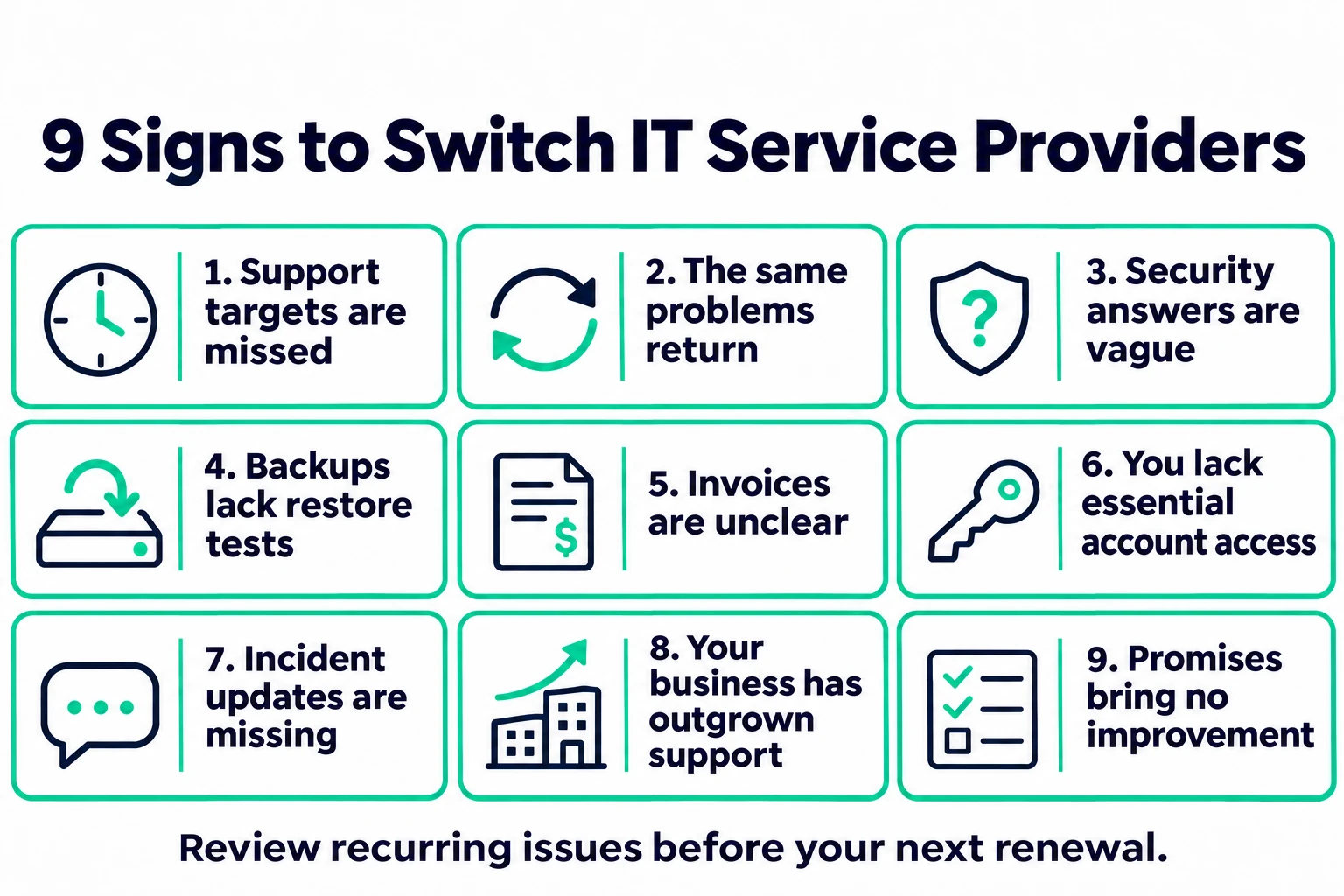
9 signs it’s time to switch IT service providers
These nine warning signs are the ones we hear about most often from Idaho business owners. You don’t need all nine to have a problem. One serious issue—especially around security, backups, or account access—can matter more than several small annoyances.
1. Support targets are repeatedly missed
A fast “we got your ticket” email can look reassuring while your employees still can’t work. What matters is what happens after that first response.
Your service-level agreement (SLA) should separate three things: response time (someone acknowledges the issue), restoration (your team can work again), and resolution (the root cause is fixed). An auto-reply is not the same as getting your accounting software back online.
Review your last few months of tickets against the agreement:
☐ Were urgent requests treated as urgent?
☐ Did a specific person take ownership?
☐ Were delays explained before you had to ask?
☐ Do “support hours” mean a technician is available, or only that systems are monitored?
Repeated missed commitments—especially with no corrective action—give you a concrete, documented reason to review the relationship—or to switch IT service providers if nothing changes.
2. The same IT problems keep coming back
Restarting a device is a reasonable first step. Restarting it every Monday without finding out why leaves your team managing the same interruption forever.
Look for patterns in reopened tickets and staff complaints. Then ask your provider which recurring issues it has identified, what it has investigated, and what will stop the next incident.
Be fair about dependencies, too. An aging server may need replacing, or a fix may need a maintenance window your team keeps postponing. Changing MSPs won’t remove those decisions.
The real warning sign: a recurring problem with no credible plan to address it. That’s often the point where owners decide to switch IT service providers.
3. Security answers are vague or unsupported
Your IT provider has administrative access to your systems. That makes its own security part of yours. You should be able to get clear answers about how that access is protected and what security work your agreement includes.
A joint advisory from CISA, the FBI, the NSA, and international partners—Protecting Against Cyber Threats to Managed Service Providers and Their Customers—recommends multifactor authentication (MFA) on MSP accounts that access customer environments, and clear contractual security responsibilities between the provider and the customer.
Ask for evidence, not reassurance:
☐ Who has administrative access to our systems, and is MFA required for all of it?
☐ How are security alerts handled, and who gets notified?
☐ Which updates and patches are overdue, and who is responsible for them?
You may find your current package simply needs additional cybersecurity services. That’s a scope conversation. A provider that can’t explain the protections you already pay for is a different concern. (Our small-business cybersecurity checklist is a good benchmark for what to expect.)
4. Nobody can show you a successful restore test
A backup dashboard full of green checkmarks doesn’t tell you whether your team could actually get back to work after a failure.
Ask when a recovery was last tested, which systems were included, and whether the restored data was usable. Restoring one folder doesn’t prove your whole line-of-business application can be recovered. The same CISA advisory recommends regularly testing backups and aligning backup services with each customer’s recovery requirements.
Agree on two numbers with your provider: how long critical systems can be down, and how much recent data your business could afford to lose. Your backup and disaster recovery plan should connect technical procedures to those business limits. For a step-by-step approach, see our guide to business backup testing.
5. You can’t match invoices to your agreement
Managed IT doesn’t always include every project or expense. Hardware replacements, migrations, after-hours work, and some software subscriptions are often billed separately. That’s normal.
What isn’t normal is not understanding a charge until after the work is done. Compare recent invoices with your service agreement and flag recurring fees, changes in user counts, project charges, and anything billed outside the monthly scope. Ask your provider to explain whatever doesn’t match.
When you compare alternatives, include onboarding and likely project costs. A lower monthly quote doesn’t help much if it excludes work your business needs every year.
6. Your provider controls accounts you should own
Here’s a simple test: if your IT provider disappeared tomorrow, could an authorized person at your business regain control of your domain, email, and critical systems?
☐ Your business—not the provider—is listed as the owner of your domain registration.
☐ You have break-glass (emergency) admin access stored securely, with limited people who can use it.
☐ You have current documentation: device inventory, network configuration, and recovery procedures.
This doesn’t mean sharing administrator passwords around the office. Good access management keeps access secure and limited to the right people. CISA’s risk guidance for MSP customers emphasizes that customers should keep control over system access and visibility into provider activity. Resistance to reasonable access or documentation requests deserves attention before your next renewal—and you’ll want this sorted out before you switch IT service providers.
7. Communication breaks down during outages
During an outage, your office manager has to decide whether staff should wait, use a workaround, or reschedule customer appointments. Silence makes that decision much harder.
For major incidents, you should have a named owner, a clear escalation contact, and an agreed update schedule. Good updates explain what’s affected and when the next update will come, even if the cause is still unknown. After a significant disruption, ask for a short written summary of what happened and what will change.
If you’re routinely chasing different technicians for conflicting answers, the provider’s communication process needs work.
8. Your business has outgrown the service
A provider that fit one office may struggle to support several locations, longer hours, or remote staff. New software can also create support needs that weren’t in the original agreement.
For example, a business opening a second location in Idaho Falls may need reliable onsite help its current provider can’t deliver from out of state. A dental or medical practice adopting a new platform may need someone who can coordinate with a specialist software vendor.
Write down what has changed and ask your MSP how it will meet those needs, including staffing, pricing, and coverage. A capability gap doesn’t automatically mean you have a bad managed service provider. It may mean you need a different arrangement for your next stage of growth.
9. Promised improvements never show up as results
An account review should leave you with more than a promise to “do better.” For each unresolved issue, ask for:
- A written action
- An owner
- A completion date
- A way to verify the result
“We’ll investigate the recurring Wi-Fi drops, apply a fix by the 15th, and report ticket counts for the following 30 days” is useful. “We’ll improve reliability” is not. If agreed deadlines keep passing without evidence of progress, another renewal will likely extend the same problems. That’s a clear signal to compare options and plan to switch IT service providers.
Real-world scenario: two Idaho Falls offices, same problem
The following is a hypothetical example.
Office A has a 12-person team that loses its internet connection two or three times a week. The owner calls their provider, which sets up a written plan: replace an aging firewall, monitor the connection for 30 days, and share a ticket report. Six weeks later, disconnections are down to zero. Office A doesn’t need to switch.
Office B has the same problem. Its provider closes each ticket after a reboot, misses two follow-up meetings, and can’t say when backups were last tested. When the owner asks who owns the company’s domain, nobody is sure. Office B has a strong case to switch IT service providers—and should verify account ownership and backups before giving notice.
Should you fix the relationship or switch IT service providers?
Weigh how serious the issues are rather than counting how many signs apply. One unresolved access or recovery problem can matter more than several minor inconveniences.
| If this is true… | Then consider… |
|---|---|
| The problem is fixable and the provider is responsive | A written improvement plan with owners and dates |
| Your needs have outgrown the current scope | Renegotiating the agreement, then comparing alternatives |
| Deadlines repeatedly pass with no progress | Comparing replacement providers before your renewal |
| You can’t access your own accounts or verify backups | Securing access and backups first, then deciding |
| You suspect an active security breach | Incident response first—not a routine provider handover |
Not sure where your biggest gaps are? An independent IT risk assessment can give you an objective baseline before you make the call.
How to compare replacement IT providers
When you’re ready to switch IT service providers, give each shortlisted MSP the same list of business requirements, and compare their answers side by side. Then make sure the important commitments appear in the written agreement—not just the sales conversation.
| Area | What to ask for |
|---|---|
| Support | Coverage hours, priority definitions, escalation process, and sample performance reports |
| Security | Evidence of controls such as MFA, plus a clear split of security responsibilities |
| Backup & recovery | Backup scope, how often restores are tested, and recovery-time commitments |
| Local presence | Onsite availability in your area (e.g., Pocatello, Idaho Falls, Twin Falls, Boise) |
| Technical fit | Experience with your applications, industry, and number of locations |
| Cost | What’s included, exclusions, onboarding fees, and price-change terms |
| Exit terms | Documentation handover, data return, transition charges, and notice period |
Where possible, talk with references whose businesses look like yours. Ask how the provider handled a difficult incident and what the first 90 days after onboarding were really like.
MSP transition checklist: how to switch IT providers smoothly
When you switch IT service providers, the handover takes coordination—but it doesn’t have to be painful. Changing MSPs goes smoothly when everyone works from the same plan. Use this checklist as a starting point and adapt it with your incoming provider.
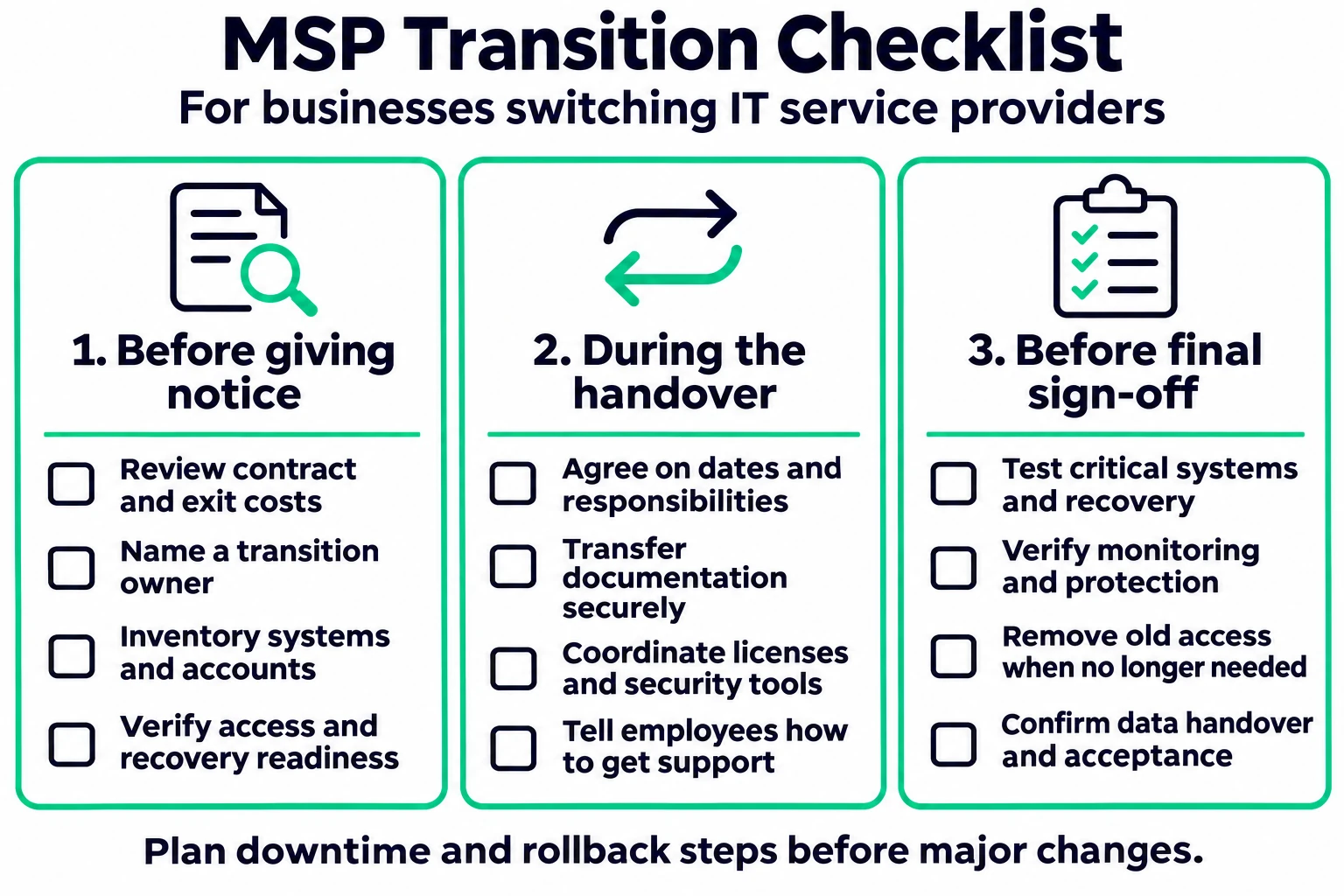
Before you give notice
☐ Review renewal dates, notice requirements, and any transition charges in your current contract.
☐ Name one internal person to own the transition.
☐ Confirm the incoming provider’s scope, costs, and timeline in writing.
☐ List critical applications, accounts, vendors, and subscriptions.
☐ Verify your business has admin access to your domain, email, and key systems.
☐ Confirm a recent backup exists and can actually be restored.
During the handover
☐ Agree on a schedule and responsibilities with both providers.
☐ Transfer documentation and credentials through secure, approved channels—never plain email.
☐ Confirm which software licenses transfer and which must be replaced.
☐ Coordinate monitoring, backup, and security-tool changes so there’s no coverage gap.
☐ Tell employees how to get help during the change.
Before you close out the transition
☐ Test critical applications, internet, email, and remote access.
☐ Verify security and backup services are running, including a restore test.
☐ Remove the outgoing provider’s access and update affected passwords and integrations.
☐ Confirm any data-return or deletion steps and record sign-off on the handover.
Don’t assume every change can happen with zero interruption. Ask your new provider to identify dependencies, likely downtime, and a rollback plan before significant work begins.
Frequently asked questions about switching IT providers
EDITOR NOTE: Build this section with the Rank Math FAQ block (free) so Google and AI search tools receive FAQPage schema. Keep each answer as written—they’re sized for featured snippets and AI answers.
How do I know if it’s time to switch IT service providers?
It’s time to consider a switch when problems repeat without a fix, your provider can’t explain your security or backups, billing doesn’t match your agreement, or improvement plans keep missing their deadlines. If the issues are fixable and your provider responds with a clear written plan, try that first.
How long does it take to switch managed IT providers?
For most small businesses, the hands-on transition takes a few weeks, depending on the number of users, locations, and systems. The bigger factor is often your contract: many agreements require 30 to 90 days’ notice. Check your notice period before you plan dates.
Will switching IT providers cause downtime?
A well-planned transition usually causes little disruption for employees. Most work—documentation, credential transfer, and tool changes—happens in the background. Some steps, like replacing security or backup software, may need a short maintenance window, which your new provider should schedule after hours.
Can I switch IT service providers before my contract ends?
Often yes, but check your agreement for early-termination fees, notice periods, and transition charges first. Some contracts allow termination for repeated SLA failures. If the terms are unclear, have the language reviewed before you give notice. (This isn’t legal advice—consult your attorney for contract questions.)
Who owns my data, passwords, and domain when I leave an IT provider?
Your business should own its data, domain, and core accounts. Your provider manages them on your behalf. Before switching, confirm your company is listed as the domain owner and that you have secure emergency admin access. A good provider will hand over documentation and credentials without resistance.
What should I ask a new IT provider before signing?
Ask about support hours and response versus resolution times, how they secure their own access to your systems, how often they test backup restores, what is excluded from the monthly fee, whether they offer onsite support in your area, and what happens to your data if you leave.
What’s the difference between response time and resolution time?
Response time is how quickly someone acknowledges your request. Resolution time is how long it takes to fix the problem. A provider can meet a 15-minute response target and still leave your team unable to work for days, so your agreement should track both.
Is it worth switching IT providers for a small business?
It’s worth it to switch IT service providers when recurring IT problems are costing your team time, putting data at risk, or blocking growth. If your current provider is responsive and the issues are fixable, an improvement plan may be faster and cheaper. Compare the cost of staying against the cost of a planned transition.
Review your IT support before your next renewal
Start with three things: your ticket history, your invoices, and your service agreement. Add the questions your provider hasn’t answered, and rank the issues by how much they affect your business.
If you’re ready to switch IT service providers—or just want to compare options—we’re happy to help. MOATiT provides managed IT services for small businesses across Idaho—including Idaho Falls and Pocatello—with local support and clear agreements. We’ll look at your current setup and tell you honestly whether you need a new provider or a better plan with the one you have.
Thinking about switching? Book your free IT assessment or call 208-900-6628. You can also contact MOATiT online.


