
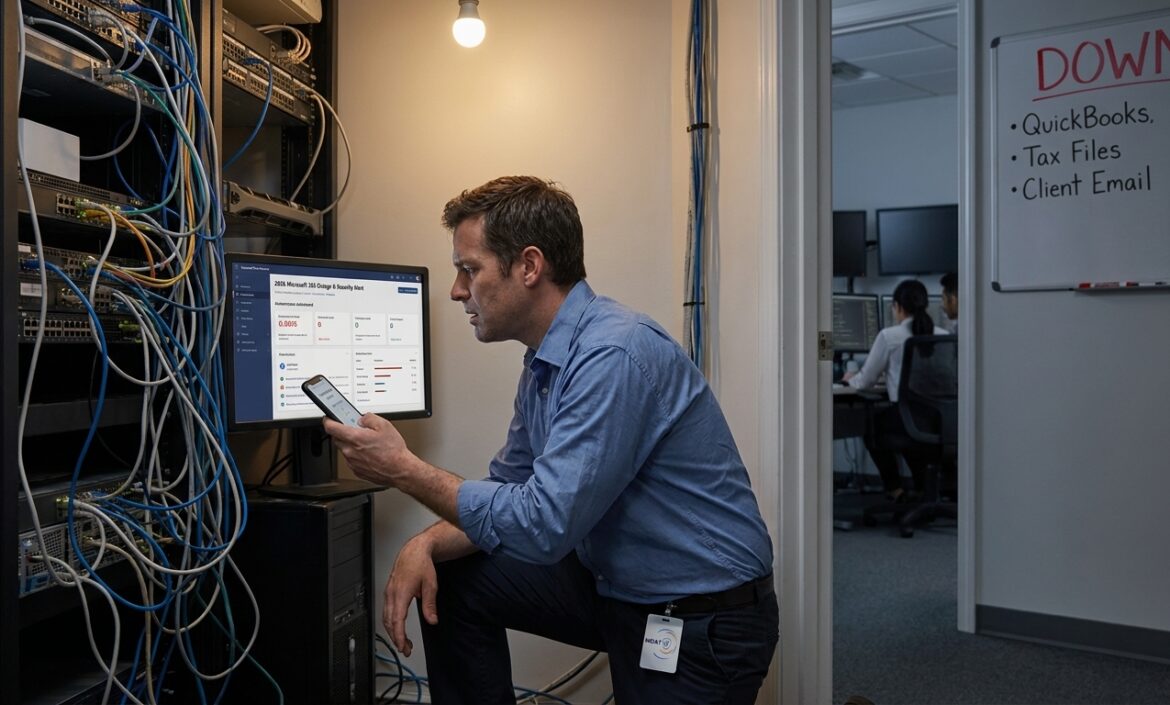
For many small and midsize businesses, the answer is yes. Managed IT is often better than in-house IT because it gives you broader expertise, more consistent coverage, stronger security processes, and a predictable monthly cost. In-house IT can still be the better choice if you run complex internal systems, need constant on-site support, or already have the budget for a mature internal team.
That distinction matters because this is not really a staffing decision. It is an operating model decision. You are choosing how your business handles risk, downtime, growth, and security when the easy stage is over.
Table of Contents
ToggleIs Managed IT Better Than In-House IT?
For most SMBs, yes. If you need dependable support, after-hours coverage, proactive security, and a cost you can forecast, managed IT is usually the stronger model. If you need deep control over custom systems or constant physical support on site, in-house IT may be the better fit.
Quick-Reference Comparison: Managed IT vs. In-House IT
| Factor | Managed IT | In-House IT |
|---|---|---|
| Cost predictability | High — fixed monthly fee | Lower — salary, tools, surprise costs |
| Expertise breadth | Broad team across specialties | Often limited to one or a few people |
| Security coverage | Strong monitoring & tooling | Depends on team size and budget |
| Scalability | Easier to expand quickly | Slower — usually requires hiring |
| After-hours support | Common | Often limited |
| On-site presence | Varies by provider | Strong |
| Control | Shared with provider | Full internal control |
| Best fit | SMBs, regulated firms, growth-stage | Enterprises, custom or hardware-heavy ops |
Table of Contents
- Why businesses start asking this question
- The hidden cost of keeping IT fully in-house
- What managed IT and in-house IT actually mean
- Managed IT vs in-house IT: cost, security, and support
- Why managed IT scales better for growing companies
- Why expertise depth often decides the issue
- When in-house IT is the better choice
- When managed IT is the better choice
- How to choose the right model
- How to move from in-house IT to managed IT without disruption
- FAQ
Why Businesses Start Asking This Question
Most companies do not compare managed IT with in-house IT because they enjoy shopping for IT support. They do it because something starts slipping.
A dental group opens a second location and realizes no one owns onboarding, patching, or vendor coordination across both sites. A law firm hires remote staff and discovers that document access is spread across laptops, home networks, and shared folders nobody has audited in years. A hospitality business adds cloud software, only to learn that backups are assumed, not tested.
At first, these feel like isolated annoyances — a delayed ticket here, a missed renewal there, a new employee waiting two days for email access. Then leadership asks simple questions nobody can answer cleanly: Are we secure? Are backups working? Who owns this vendor? What is our IT plan for the next year?
That is the real problem. The business has become more complex than its support model.
The Hidden Cost of Keeping IT Fully In-House
The expensive part of in-house IT is rarely just salary.
On paper, one internal hire can look cheaper than a managed services contract. In practice, that comparison is usually too narrow. A full cost view includes:
- Salary, payroll taxes, and benefits
- PTO, recruiting, and turnover
- Training and certifications
- Endpoint management, backup, and security software licenses
- Documentation systems and project tools
- Coverage gaps when that person is out or leaves
Then come the costs finance teams feel but cannot always tie to one line item: delayed onboarding, stalled projects, vendor finger-pointing, and security issues that sit unresolved because the same person handling firewall rules is also resetting passwords and troubleshooting conference room audio.
Key Insight: IBM’s annual Cost of a Data Breach research consistently shows that weak IT process creates measurable productivity loss and business interruption — even before a breach occurs.
What Managed IT and In-House IT Actually Mean
What Managed IT Means
Managed IT means outsourcing some or all of your IT operations to a provider for a recurring monthly fee. That typically includes help desk support, monitoring, patching, endpoint management, backup oversight, vendor coordination, cybersecurity tooling, reporting, and strategic planning. Good providers do more than close tickets — they standardize systems, reduce avoidable risk, and create accountability.
What In-House IT Means
In-house IT means your employees own IT internally. That can be one generalist, one systems administrator, or a full department with specialists in cloud, networking, support, and security. This model gives you direct control over priorities and can work extremely well in larger organizations. It becomes more attractive when you rely on custom internal systems, need close coordination with operations, or require physical support throughout the day.
Where Hybrid (Co-Managed) IT Fits
There is a middle ground, and for many businesses it is the best answer. In a co-managed model, your internal IT lead keeps ownership of business-specific systems and stakeholder relationships while a managed provider handles the parts that are hard to staff consistently: security operations, after-hours alerts, project overflow, cloud administration, documentation, or help desk coverage.
Is Managed IT Better Than In-House IT? Cost, Security, and Support
Cost: One Salary vs. Total Operating Cost
A single internal IT employee may look cheaper than a monthly managed IT bill. That comparison breaks down once the business grows. One person rarely covers endpoint management, Microsoft 365 administration, security hardening, backup review, vendor management, strategic planning, and end-user support at a high level. So companies either accept gaps or keep adding spend around that employee — more tools, project consultants, overtime, and the downtime that comes from limited coverage.
Managed IT usually rolls those pieces into one monthly operating expense. That predictability is one reason CFOs often prefer it: you are paying for an agreed service model with defined coverage and tools, not one person’s available hours.
Security: Where Managed IT Often Pulls Ahead
This is where the gap becomes harder to ignore. The Cybersecurity and Infrastructure Security Agency (CISA) has repeatedly warned that ransomware and credential-based attacks affect organizations of every size — not just enterprises. Smaller firms are often easier targets because their controls are inconsistent and their teams are thin.
A quality managed IT provider usually has stronger patch discipline, better visibility across devices, documented response procedures, and access to security specialists. Think about what happens at 10:30 p.m. when a backup fails or a login pattern suddenly looks suspicious. In a one-person internal model, nobody may see it until morning. In a mature managed model, that alert should already be routed, reviewed, and escalated.
Support Speed: Resolution Matters More Than Response
For routine issues — account access, laptop setup, VPN problems, printer trouble, Microsoft Teams errors — managed help desks often outperform small internal teams because multiple technicians can work the queue. When one person is in a meeting, on vacation, or stuck on an outage, tickets pile up fast.
That said, internal teams often win when support depends on deep business context. If your environment includes proprietary workflows, specialized hardware, or unusual compliance constraints, local internal knowledge can speed resolution in ways a remote provider cannot.
Why Managed IT Scales Better for Growing Companies
Growth exposes every weak process at once. A company can get away with informal IT at eight employees. At 35, the cracks show. At 70, they are expensive. New hires need equipment and permissions. New locations need network standards, vendor coordination, and policy consistency. Remote employees need secure access without endless workarounds.
Managed IT tends to scale better because standardization is built into the service model. Documentation, onboarding checklists, remote management, and reporting are usually part of the baseline — making expansion less dependent on tribal knowledge.
This is especially true for companies that need enterprise-grade discipline without enterprise headcount. A 50-person firm may genuinely need mature backups, security baselines, identity controls, and lifecycle planning — but not a full-time security lead, network engineer, cloud specialist, and help desk team on payroll.
Why Expertise Depth Often Decides the Issue
One internal hire gives you one person’s strengths. A managed provider gives you a bench.
That matters during migrations, outages, compliance work, and security events. A SharePoint migration, for example, is not just a file move — it touches permissions, identity, endpoint sync behavior, user training, retention settings, and rollback planning.
Real-World Pattern: Internal generalists are often talented. They are simply forced to operate across too many disciplines at once. Cybersecurity, cloud administration, networking, procurement, user support, and compliance are different jobs. Treating them as one job creates concentration risk.
When In-House IT Is the Better Choice
A fair answer has to say this clearly: in-house IT is sometimes the right call. It tends to be the better choice when:
- Your company runs highly customized systems or proprietary internal applications
- You operate manufacturing infrastructure or hardware-heavy environments needing constant physical support
- You already have mature IT leadership with enough staffing depth
- You have the budget to maintain tools, training, and coverage properly
- Your organization wants direct ownership of daily priorities and operational response
When Managed IT Is the Better Choice
For many SMBs, managed IT is not a compromise — it is the more complete operating model. It usually makes the most sense when:
- Your business has between roughly 10 and 250 employees
- You need stronger security without adding full-time security staff
- You want after-hours support and monitoring coverage
- You are growing faster than one internal person can keep up with
- You operate multiple locations that need consistent standards
- You are in a regulated industry (healthcare, legal, accounting, financial services) that needs process discipline
For companies in Idaho and the Intermountain West, local presence still matters. Many businesses want the efficiency of remote support with the option for on-site help when projects, outages, or office work require it.
How to Choose the Right IT Model
You do not need a giant scorecard. You need honest answers to four questions:
- Can you afford the real cost of an internal team, including tools and coverage?
- How much downtime or security risk can your business tolerate?
- How fast will you grow over the next 12 to 24 months?
- Do you have internal leadership with enough time and experience to manage IT well?
Warning signs that your current model no longer fits: tickets linger, projects stall, leadership lacks visibility, security feels uncertain, vendors blame each other, and your best IT person spends most of the week reacting instead of improving systems. When that happens, the issue is usually not effort — it is capacity and structure.
How to Move From In-House IT to Managed IT Without Disruption
Step 1: Assessment and Documentation
Systems, users, devices, admin access, licenses, vendors, backups, and known risks need to be mapped before any major changes are made. If a provider cannot explain how they handle documentation at the start, that is a red flag.
Step 2: Tool Consolidation and Onboarding
The goal is not change for its own sake. The goal is a cleaner, more supportable environment with fewer blind spots — standardized endpoint management, tighter identity controls, and clear support workflows.
Step 3: Communication and Roadmap
Staff need to know where to get help and what will change. Leadership needs reporting, priorities, and a roadmap. In most well-run transitions, the first 30 days improve visibility, the next 30 improve consistency, and the next 30 start reducing risk in measurable ways.
Is Managed IT Better Than In-House IT? The Practical Answer
The accounting firm from the opening story did not need a more heroic IT person. It needed a stronger system. That is usually the real answer here. If your business is growing and your IT model depends on one overloaded employee, scattered vendors, and reactive support, managed IT is often the better choice. If you have the scale, complexity, and budget for a mature internal department, in-house IT can still be the right fit. If you are somewhere in the middle, a co-managed approach may give you the best of both. Is Managed IT Better than In House IT for your business?
Next Step: Book an IT assessment by calling MOATiT! A good assessment will show where your current model is creating risk, where it is working, and whether managed IT, in-house IT, or a co-managed approach is the best fit for your growth.
FAQ: Is Managed IT Better Than In-House IT?
Is managed IT better than in-house IT for small businesses?
Yes, in many cases. Managed IT is usually better for small businesses because it offers broader expertise, more consistent support coverage, and predictable costs without requiring multiple internal hires.
Is managed IT cheaper than in-house IT?
Often yes for SMBs. Once you include salary, benefits, tools, training, turnover risk, and after-hours coverage, managed IT can be less expensive than building equivalent in-house capability.
Is managed IT more secure than in-house IT?
Often it is for smaller organizations. Many managed IT providers offer stronger monitoring, patching, backup oversight, and access to security specialists than a small internal team can support alone.
What is the difference between managed IT and co-managed IT?
Managed IT means the provider handles most or all IT operations. Co-managed IT means your internal team keeps ownership of some functions while the provider adds tools, capacity, and specialized expertise.
When is in-house IT the better option?
In-house IT is usually better for enterprises, custom environments, manufacturing or hardware-heavy operations, and businesses that need constant on-site support or complete internal control.


